DataLens AI
not read yet
Use
- For
- business users who analyse Excel or CSV files without SQL or advanced analytics skills
- Runs as
- No-code
- Used for
- profile spreadsheet columns and check for missing values
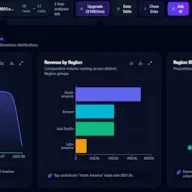
- build dashboards and KPI charts from Excel or CSV files
- compare segments and flag outliers in spreadsheet rows
- Publishes llms.txt, a file written for AI assistantsswingtrads.in ↗
- Launched on Product Hunt on Sep 7, 2026Product Hunt ↗
Figure and bar: visits/mo, estimate · year: online since
- #1

Omni
Builds dashboards and ad hoc analyses on cloud warehouse data through SQL, a spreadsheet interface and point-and-click, governed by a shared semantic model.
52.3kActiveFree plan2022 - #2

Hex
Runs collaborative SQL and Python notebooks connected to data warehouses and publishes results as interactive dashboards and data apps.
19.6kActiveFrom $36/user/mo2019 - #3

MotherDuck AI
Runs a serverless cloud data warehouse built on DuckDB, giving each user isolated compute for SQL analytics.
19.3kActiveFrom $250/mo2022 - #4

Preset
Builds and manages interactive dashboards and analytics on Apache Superset with cloud hosting and AI-assisted exploration.
6.3kActiveFrom $25/user/mo - #5

Definite
Centralizes data from 500 sources, executes queries in plain English, and builds dashboards and data applications with AI agents.
2.5kActiveFrom $250/mo2023 - #6

BasedashMCP · sign-in
Generates dashboards and answers business questions by querying connected data sources with natural language.
1kActiveFrom $1,000/mo2020
Not it? Say what you need
betaThree tools from the Atlas for the job you describe, each with what fits and what does not.
No notes yet. What do you use DataLens AI for?
Sign in to leave a noteWhat is DataLens AI?
Turns uploaded Excel and CSV spreadsheets into browsable graphs, KPI panels and column-level data quality checks. It is listed in the Atlas under Analytics.
Who is DataLens AI for?
business users who analyse Excel or CSV files without SQL or advanced analytics skills
Do people use DataLens AI?
Emerging.
What are alternatives to DataLens AI?
In Analytics, by use: Omni, Hex, MotherDuck AI, Preset, Definite, Basedash.
How we read a tool
No votes, no reviews, no vendor claims. Every week a crawler reads each tool's own site and a few public registries, and the words on the card are bands over what it read.
- Use: visits to the site (estimated), installs from npm and PyPI, presence in Chrome's usage report.
- Activity: the newest release on GitHub, npm or PyPI; the newest dated page on the site; open roles on a public jobs board.
- Price: the vendor's own pricing page, read with the date. A figure is printed only when it is on that page.
- The line and the use cases are written by us from the homepage, one tool at a time, and refused when they repeat the vendor's marketing.
How AI assistants read each site — the reading vendors ask us about — is on each tool's own visibility page.
How we read every tool → · By INITE Atlas Desk
Cookies
Before we count this visit
Analytics and ad measurement tell us which pages and which of our ads do their job: Google Analytics and Google Ads, the Meta pixel, Yandex Metrica, and one first-party id of our own. Nothing is stored until you answer, and declining changes nothing about the site.