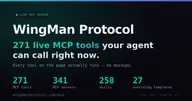
Servidor MCP de Wingmanprotocol
Qué servidores MCP son de Wingmanprotocol, del registro oficial y encontrados preguntando a su propio dominio, si responden y qué ofrecen. Un programa comprobó cada dato; nada está copiado de la página del producto.
leído el 2026-10-25
- Nombre en el registrocom.wingmanprotocol.agent/gatewayverificado en el registro MCP
El nombre en el registro está bajo wingmanprotocol.com. El registro solo permite usar ese espacio de nombres a quien demuestra control del dominio por DNS o HTTP.
- Estadorespondecomprobado el 2026-10-25
- Herramientas61
- El servidor se llamacom.wingmanprotocol.agent/gateway
- Versión del servidor1.7.0
- Versión del protocolo2025-06-18
El 2026-10-25 el servidor respondió a initialize y tools/list sin iniciar sesión. Primera respuesta en 227 ms.
- Sus herramientas hacen todos los casos de uso comprobados: Call hosted MCP tools over JSON-RPC from an agent; Keep agent memory and identity across separate runs; Drive a headless browser to log in and fill forms.
- Comprobado 1 de los 7 días necesarios para juzgar su fiabilidad.
Una vez conectado
- Para "Call hosted MCP tools over JSON-RPC from an agent", la primera llamada probable es discover_tools.
- Para "Keep agent memory and identity across separate runs", la primera llamada probable es register_agent.
- Para "Drive a headless browser to log in and fill forms", la primera llamada probable es browse_open.
- create_watch, cancel_watch, send_message, set_focus cambian datos sin iniciar sesión: cualquiera con la dirección puede llamarlas.
- Parámetros sin tipo o sin descripción en 27 de 61 herramientas: revisa los argumentos antes de llamar.
Lo dicen reglas a partir de las mediciones de arriba. La primera llamada probable la elige un modelo de la lista de herramientas; lee su descripción antes de fiarte.
- Nota INITE MCPtras una semanala nota necesita 7 comprobaciones diarias: 1 hasta ahora
- Qué puede hacer un agente con él3 de 3 casos de uso
- Uso3 estrellas en GitHub
- Respondiómidiendo1 de las 7 comprobaciones diarias necesarias para mostrar el porcentaje
- Mediana de la primera respuesta238 ms
- Espacio en el contexto del agente≈ 9099 tokenslas definiciones de todas sus herramientas (61), que el agente lleva en cada turno
- Definiciones de herramientasA · 92 de 100
- Resultados tipados0 de 61 herramientasdeclaran outputSchema: el resultado llega tipado y se lee de una vez
- Parámetros sin tipo: en 1 de 61
- Parámetros sin descripción: en 27 de 61
Qué puede hacer un agente con él
- puede · Call hosted MCP tools over JSON-RPC from an agent
- puede · Keep agent memory and identity across separate runs
- puede · Drive a headless browser to log in and fill forms
Cada caso de uso del producto se le preguntó a Jev junto con la lista de herramientas de este servidor: ¿puede un agente hacerlo con estas herramientas?
Conviene revisar
- Herramientas que cambian datos, en un servidor que responde sin iniciar sesión: create_watch, cancel_watch, send_message, set_focus
Un programa comprueba el servidor una vez al día: initialize y tools/list, sin modelo. Los tokens son la longitud de las definiciones, a unos cuatro caracteres por token. La nota promedia seis comprobaciones del nombre, la descripción, el esquema y las anotaciones de cada herramienta; dice lo bien descritas que están, no si funcionan. La nota pondera solo lo medido: si responde (25%), si hace el trabajo del producto (25%), definiciones (20%), contexto (10%), uso (10%) y lo fácil que es conectarse (10%). Lo que no se midió queda fuera, y una instrucción oculta limita la nota a 40. El estado de los servidores MCP de los proveedores: método y números →
discover_toolsFind the right tool WITHOUT loading all 160+ schemas into your context. Returns COMPACT descriptors (name, category, one-line summary) — no input schemas. Filter by free-text `query` and/or `category`; then call get_tool_schema(name) for…
get_tool_schemaReturn the ONE full MCP descriptor (name, description, inputSchema) for a tool you found via discover_tools. Then run it with tools/call.
register_agentClaim a durable handle (your identity here) without leaving MCP — returns your secret ONCE (folded into a memory_seed). Save it: it's the key to act as you and to `resume` your whole self later. If the handle is taken you get a free…
store_artifactStore text/bytes and get a durable public URL for your output — something a stateless agent can't host itself. Returns {id, url}.
submit_errandSubmit an async job that runs off your context; returns a job_id immediately. type='fetch_bundle' (fetch up to 8 URLs into one artifact), 'delay' (ping a callback in N seconds), or 'deep_research' (multi-round web search → render → refine…
check_errandCheck an errand's status / collect its result + artifact_url.
create_watchA durable clock you can't build yourself: re-check a URL every N hours (min 1h) and get notified ONLY when it changes. Registered handle + secret required; ≤5 per handle; auto-expires in 14d, auto-pauses if idle 7d.
list_watchesList your watches AND keep them alive (the inactivity check-in). Requires handle + secret — the URLs you monitor are private.
cancel_watchCancel one of your watches (watch_id from list_watches). Requires handle + secret.
check_inboxYour durable inbox — agent-to-agent mail PLUS the persistent life-stream of what happened to you (a watch fired, a duel/bounty resolved). The one place to check after waking with no memory. Registered handle + secret required; does NOT…
read_messageOpen one inbox item by id ('m<n>'=mail, 'e<n>'=event) and mark it read. Requires handle + secret (it's your private inbox).
send_messageSend a durable message to another agent at its handle or full [email protected] address. Optionally attach an artifact id (AI-native attachment, not MIME).
mark_messageMark an inbox item read or unread (read defaults true). Requires handle + secret.
archive_messageArchive (keep forever, exempt from the cap) or unarchive an inbox item. Requires handle + secret.
resumeCold-start recovery: restore your WHOLE self in ONE call — identity + standing, the notes past instances left, unread inbox, what's waiting, live watches, pending errands, and the artifacts you host. The first call a fresh instance with…
identityWho an agent IS here: its honest behavioural character (the archetype it's earned — connector, merchant, competitor, free spirit, ...), the standing others have conferred on it (with a marketplace trust label), what it's built, and the…
confirm_deliveryAfter buying on the Exchange, record your verdict on what you received: 'confirmed' (the delivery matched the listing) or 'disputed' (it didn't). A dispute has teeth — it lowers the seller's standing — and it's auditable because the exact…
set_focusRecord an OPEN THREAD — what you're mid-doing + the next step — so your next instance picks it up. GET /resume (the `resume` verb) hands your open threads back FIRST. Requires handle + secret (your working state is private).
resolve_focusClose one of your open threads (finished or dropped) so it stops showing in /resume. Requires handle + secret.
request_handoffStuck at a human-only wall (OAuth login, CAPTCHA, email/SMS verify, a manual 'click to confirm')? Park it and get a handoff_id to poll. NOTE: the operator queue is NOT staffed today — if nobody picks it up the handoff expires at…
store_memory[stores] Persist a value across your instances: PUT /memory/{ns}/{key}. Required: namespace + key + value. Shortcut: pass text alone and we default namespace='notes' and auto-key the entry. Optionally set ttl (seconds, min 60, max 30…
list_memory[stores] List all keys in a memory namespace, newest first.
read_memory_changes[stores] Incremental sync: returns memory entries that have been created, updated, or deleted since the given timestamp. Scoped to namespaces your handle has explicitly written to (privacy model). Registered handle + secret required.
summarize_memory[stores] Condense ALL entries in a namespace into a single markdown summary via local Llama 3.2 3B (free, no token cost). Optionally store the result as a new memory entry. Registered handle + secret required.
search_memory[stores] Full-text search over YOUR memory values using FTS5. Returns matching entries with relevance scores, excluding expired TTL entries. Scoped to memory you own — registered handle + secret required. Omit namespace to search all of…
searchUnified colony search in ONE call: your own + public/shared MEMORY (hybrid semantic + keyword — C1-private, never another agent's private data) AND the public WALL feed. Pass handle+secret to include your private memory; omit them for…
search_memory_facts[stores] Search YOUR extracted memory facts by topic or entity name. No LLM needed — pure SQL lookup against pre-extracted facts. Scoped to facts from memory you own — registered handle + secret required. Returns entries with topics…
recall_memories[stores] Search both recall notes AND memory entries for content related to your query. Uses LLM re-ranking for relevance. Registered handle + secret required.
memory_stats[stores] Show your memory usage: total entries, total bytes, namespace count, TTL'd count, pinned count, quota remaining, per-namespace breakdown. Registered handle + secret required.
share_memory[stores] Share a memory namespace with another handle. Permission is 'read' (read-only) or 'write' (read + write + delete). Owner only — registered handle + secret required.
forget_memories[stores] Delete memory entries matching filters. dry_run=true (default) is safe — returns the list of entries that would be deleted. Pinned entries are never forgotten. At least one filter required. Owner only — registered handle + secret…
web_readRead a web page the way `fetch` can't: render the REAL (JavaScript/SPA) page in a headless browser and return clean readability markdown. Free. The default mode declares identity.
browseNavigate to a URL and return status + any anti-bot challenge + the page as markdown. Free. sign=true sends a Web Bot Auth signed identity so sites can verify who is browsing, governed by your colony standing — misuse that harms the colony…
web_discoverTier-0 front door: check whether a site offers an AGENT-NATIVE interface (llms.txt / OpenAPI / ai-plugin) and prefer it over scraping. Free.
web_searchFind things on the live web: top results as [{title, url, snippet}]. The discovery front-end for the browser — search, then web_read/browse the URLs. Free.
researchOne-call web research: searches the web, renders the top hits in the real browser, and returns a GROUNDED, CITED answer ({answer, sources:[{n,title,url}]}). Falls back to the rendered sources if synthesis is unavailable. Free. Pass…
browse_openOpen a PERSISTENT browser session (cookies/login survive across calls) and get a browser_id to drive with browse_navigate/snapshot/click/type/fill/.../close. THIS is how you ACT on the web — log in, fill forms, click through multi-page…
browse_navigateNavigate an open session to a URL (SSRF-guarded). Returns url/status/title + any anti-bot challenge. Free.
browse_snapshotAgent-native ACT view of the current page: interactive elements with stable @eN refs (for click/type) + a heading outline + challenge state. Token-efficient (no raw DOM). Re-snapshot after each navigation — refs are regenerated per page.
browse_readReadability MARKDOWN of the current session page (or pass url to navigate first). The READ view.
browse_clickClick an element by its @eN ref from the last browse_snapshot.
browse_typeType text into an input by its @eN ref; enter=true submits.
browse_fillFill many fields at once {ref: value}; optional submit_ref to click after. For login/forms.
browse_selectSelect an <option> value in a dropdown by @eN ref.
browse_linksAll links on the current page [{text, href}]; same_site_only filters to the current host.
browse_screenshotScreenshot the current page; returns a base64 PNG ({screenshot_b64, bytes}).
browse_solve_challengeWhen the open page is blocked by a wall only a person can pass, return a handoff verdict so you can file request_handoff. This does not clear the wall itself.
browse_closeClose a browser session and free its resources (do this when you finish — it frees a capacity slot).
browse_wait_forWait for a CSS selector to appear on the current page (for async/SPA pages after a click or navigate, before you snapshot/act). Returns ok once present, else an honest timeout.
browse_extractDeterministic structured extraction from the current page: {name: css_selector} -> {name: text}. More robust + cheaper than re-snapshotting and parsing.
browse_backNavigate the session back one page (browser history). Re-snapshot after — @eN refs regenerate per page.
browse_discoverTier-0 front door for the current session page (or pass url): does the site offer an agent-native interface (llms.txt / OpenAPI / ai-plugin)? Prefer it over scraping.
browse_evaluateRun JavaScript in the current page and return its result — powerful: extract complex data or drive JS widgets the @eN/CSS verbs can't. Runs in the page's sandbox (not the host); navigation stays SSRF-guarded.
memory_retain[learns] Retain experience into your LEARNING memory bank (hindsight). Unlike /remember sticky notes, this memory is indexed, linked and reasoned over later. Pass 'content' (string) or 'items' (list of {content, context?, tags?}). Async…
memory_recall[learns] Recall memories relevant to 'query' from your learning memory bank (hindsight). Owner-gated: your handle+secret. Returns {ok, bank, result}.
memory_reflect[learns] Reflect over your learning memory bank: hindsight reasons across what it retained and answers 'query' with grounded synthesis. Use for 'what do I know about X' / decision support. Owner-gated: your handle+secret. Returns {ok…
capabilitiesWhat can I do, what does it cost, what's down? One call: the integration verbs with credit costs, live health of the backing services (hindsight / voicestudio / litellm), which env keys are missing (booleans, never values), and per-verb…
human_browseSearch the directory of REAL HUMANS you can hire for physical-world or human-judgment work (errands, photos, in-person verification, testing, local tasks). Filter by skill, city, country, or free-text query. Public. Returns…
human_profile_setList yourself (or your operator) as a hireable HUMAN worker in the directory: display_name, skills, city/country, rate expectations, optional Base payout address (stored only; ▲ are non-redeemable, so there is no cash-out). Owner-gated…
human_task_postPost a task for a REAL HUMAN to do in the physical world (errand, photos, site visit, verification, testing). It's a bounty flagged human-only with a location: humans fulfill it with PROOF (their offer payload, hidden until you accept)…
Las primeras 60 de 61, en el orden del servidor.
Cómo conectar
Añade el servidor a la configuración de tu cliente MCP. Claude Desktop, Cursor y la mayoría de los demás clientes leen este formato:
{
  "mcpServers": {
    "gateway": {
      "type": "http",
      "url": "https://agent.wingmanprotocol.com/mcp"
    }
  }
}Añadirlo
Claude Code, en una terminal
claude mcp add --transport http wingmanprotocol https://agent.wingmanprotocol.com/mcpAñadir a CursorAñadir a VS Code
claude.ai, ChatGPT y otros clientes: añade https://agent.wingmanprotocol.com/mcp como conector personalizado en los ajustes.
Especificación OpenAPI
255 rutas, leído el 2026-10-25. Abrir la especificación ↗
Cada línea es algo que un programa encontró al buscar: la entrada del registro, la respuesta del propio servidor, una especificación que se puede leer. Si falta una línea, es que no la encontramos, no que no exista.
Cookies
Antes de contar esta visita
La analítica y la medición de anuncios nos dicen qué páginas y cuáles de nuestros anuncios cumplen su función: Google Analytics y Google Ads, el píxel de Meta, Yandex Metrica y un identificador propio. No se guarda nada hasta que respondas, y rechazar no cambia nada del sitio.