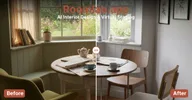
Servidor MCP de RoomLab.app
Qué servidores MCP son de RoomLab.app, del registro oficial y encontrados preguntando a su propio dominio, si responden y qué ofrecen. Un programa comprobó cada dato; nada está copiado de la página del producto.
leído el 2026-10-10
- Direcciónhttps://mcp.roomlab.app/mcpno está en el registro oficial: respondió al preguntarle
Ninguna entrada del registro oficial de MCP nombra este servidor. Respondió en roomlab.app cuando el Atlas preguntó en la dirección donde suelen montarse los servidores, así que es del propio proveedor. Los clientes y catálogos que listan servidores a partir del registro no lo muestran.
- Estadorespondecomprobado el 2026-10-27
- Herramientas19
- El servidor se llamaroomlab
- Versión del servidor0.4.7
- Versión del protocolo2025-06-18
El 2026-10-27 el servidor respondió a initialize y tools/list sin iniciar sesión. Primera respuesta en 188 ms.
- Aún no se ha juzgado si sus herramientas hacen el trabajo del producto.
- Comprobado 1 de los 7 días necesarios para juzgar su fiabilidad.
Una vez conectado
- set_sky_blue, create_video_walkthrough, create_video_transition, create_house_tour cambian datos sin iniciar sesión: cualquiera con la dirección puede llamarlas.
- Sus definiciones ocupan unos 18615 tokens de contexto: activa solo las herramientas que necesita la tarea.
- Parámetros sin tipo o sin descripción en 7 de 19 herramientas: revisa los argumentos antes de llamar.
Lo dicen reglas a partir de las mediciones de arriba. La primera llamada probable la elige un modelo de la lista de herramientas; lee su descripción antes de fiarte.
- Nota INITE MCPtras una semanala nota necesita 7 comprobaciones diarias: 1 hasta ahora
- Respondiómidiendo1 de las 7 comprobaciones diarias necesarias para mostrar el porcentaje
- Mediana de la primera respuesta587 ms
- Espacio en el contexto del agente≈ 18.615 tokenslas definiciones de todas sus herramientas (19), que el agente lleva en cada turno
- Definiciones de herramientasA · 94 de 100
- Resultados tipados19 de 19 herramientasdeclaran outputSchema: el resultado llega tipado y se lee de una vez
- Parámetros sin descripción: en 7 de 19
Conviene revisar
- Herramientas que cambian datos, en un servidor que responde sin iniciar sesión: set_sky_blue, create_video_walkthrough, create_video_transition, create_house_tour
Un programa comprueba el servidor una vez al día: initialize y tools/list, sin modelo. Los tokens son la longitud de las definiciones, a unos cuatro caracteres por token. La nota promedia seis comprobaciones del nombre, la descripción, el esquema y las anotaciones de cada herramienta; dice lo bien descritas que están, no si funcionan. La nota pondera solo lo medido: si responde (25%), si hace el trabajo del producto (25%), definiciones (20%), contexto (10%), uso (10%) y lo fácil que es conectarse (10%). Lo que no se midió queda fuera, y una instrucción oculta limita la nota a 40. El estado de los servidores MCP de los proveedores: método y números →
virtual_stage_roomUse only when the user wants furniture and decor added to an empty room. Ask only for the room image, room type, and design style when missing. Do not use this to restyle a furnished room.
change_room_styleUse only when the user wants a furnished room restyled while keeping its furniture arrangement. Ask only for the room image, room type, and design style when missing. Do not use this to furnish an empty room.
declutter_roomUse when the user wants clutter and visual mess removed while keeping the major furniture and architecture. This matches the Declutter Room workspace card.
empty_roomUse when the user wants all furniture, appliances, and decor removed so the room appears vacant. This matches the Empty Room workspace card.
replace_furnitureUse when the user wants one furniture item replaced with the item shown in a reference image. Ask for the room type and furniture item only when missing.
replace_materialUse when the user wants the material on a wall, floor, rug, curtain, countertop, backsplash, or another surface changed to match a reference image.
render_interiorUse when the user wants an interior sketch, model view, or design image turned into a photorealistic architectural render. Time of day and extra instructions are the only optional workspace controls.
render_exteriorUse when the user wants an exterior sketch, model view, or design image turned into a photorealistic architectural render. Time of day, season, landscape, and extra instructions match the workspace controls.
custom_promptUse for the workspace Custom Prompt mode when another named RoomLab mode does not match. The user may supply one main image, up to six reference images, and natural-language instructions.
set_sky_blueUse when the user wants a dull or cloudy sky changed to a clear bright blue sky while preserving the property and landscaping.
fill_and_clean_poolUse when the user wants a pool filled with clean water and the surrounding pool area tidied.
clean_gardenUse when the user wants weeds and debris removed so a garden or outdoor area looks neat and maintained.
make_grass_greenerUse when the user wants dry or patchy grass refreshed so the lawn looks green and healthy.
visualize_wall_colorsUse this when the user wants to compare paint colors on the walls of the same room. It returns a nine-color comparison. Color preferences are optional; use RoomLab’s balanced default palette when the user did not specify colors.
create_video_walkthroughUse when the user wants one room photo animated with a camera move or other described effect. The effect and 5- or 10-second duration match the workspace controls.
create_video_transitionUse when the user wants an animated transformation from a start image to an end image. The transition style and 5- or 10-second duration match the workspace controls.
create_house_tourUse when the user wants a cinematic tour made from three to six room images in order. The workspace offers an automatic or user-written script and 12-, 15-, or 30-second durations.
upscale_room_imageUse this when the user asks to make an existing RoomLab image 4K. The generation ID is enough; RoomLab retrieves the image and selects the correct upscale path internally.
get_generationCheck a RoomLab.app creation and return status or finished media as data, without opening another card. The existing creation card polls automatically. Use this tool when no card is available or the user asks to check a result; do not…
Cómo conectar
Añade el servidor a la configuración de tu cliente MCP. Claude Desktop, Cursor y la mayoría de los demás clientes leen este formato:
{
  "mcpServers": {
    "roomlab": {
      "type": "http",
      "url": "https://mcp.roomlab.app/mcp"
    }
  }
}Añadirlo
Claude Code, en una terminal
claude mcp add --transport http roomlab https://mcp.roomlab.app/mcpAñadir a CursorAñadir a VS Code
claude.ai, ChatGPT y otros clientes: añade https://mcp.roomlab.app/mcp como conector personalizado en los ajustes.
Cada línea es algo que un programa encontró al buscar: la entrada del registro, la respuesta del propio servidor, una especificación que se puede leer. Si falta una línea, es que no la encontramos, no que no exista.
Cookies
Antes de contar esta visita
La analítica y la medición de anuncios nos dicen qué páginas y cuáles de nuestros anuncios cumplen su función: Google Analytics y Google Ads, el píxel de Meta, Yandex Metrica y un identificador propio. No se guarda nada hasta que respondas, y rechazar no cambia nada del sitio.