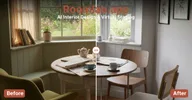
RoomLab.app MCP server
Which MCP servers are RoomLab.app's own, from the official registry and from asking its own domain, whether they answer, and what they offer. A program checked each of these, nobody copied them from a product page.
read 2026-10-10
- Addresshttps://mcp.roomlab.app/mcpnot in the official registry: answered when asked
No entry in the official MCP registry names this server. It answered on roomlab.app when the Atlas asked at the address servers are usually mounted on, so it is the vendor's own. Clients and catalogues that list servers from the registry do not show it.
- Stateanswerschecked 2026-10-27
- Tools19
- Server calls itselfroomlab
- Server version0.4.7
- Protocol version2025-06-18
On 2026-10-27 the server answered initialize and tools/list without a sign-in. First answer in 188 ms.
- Whether its tools do the product's job has not been judged yet.
- Checked on 1 of the 7 days it takes to judge reliability.
Once connected
- set_sky_blue, create_video_walkthrough, create_video_transition, create_house_tour change data without a sign-in: anyone with the address can call them.
- Its definitions take about 18615 tokens of context: enable only the tools a task needs.
- Parameters are untyped or undescribed in 7 of 19 tools: check arguments before calling.
Said by rules from the measurements above. The likely first call is a model's pick from the tool list; read its description before relying on it.
- INITE MCP scoreafter a weeka score needs 7 daily checks: 1 so far
- Answeredmeasuring1 of the 7 daily checks it takes to print a share
- Median first answer587 ms
- Space in an agent's context≈ 18,615 tokensthe definitions of all its tools (19), which an agent carries on every turn
- Tool definitionsA · 94 of 100
- Typed results19 of 19 toolsdeclared outputSchema: results come typed, read once
- Parameters without a description: in 7 of 19
Worth a look
- Tools that change data, on a server that answers without a sign-in: set_sky_blue, create_video_walkthrough, create_video_transition, create_house_tour
A program checks the server once a day: initialize and tools/list, no model. Tokens are the definitions' length at about four characters a token. The grade averages six checks of every tool's name, description, schema and annotations; it says how well the tools are described, not whether they work. The score weighs what was measured and nothing else: answering (25%), doing the product's job (25%), definitions (20%), context (10%), use (10%) and how readily a client connects (10%). A part that was not measured is left out, and a hidden instruction caps the score at 40. The state of vendors' MCP servers: method and numbers →
virtual_stage_roomUse only when the user wants furniture and decor added to an empty room. Ask only for the room image, room type, and design style when missing. Do not use this to restyle a furnished room.
change_room_styleUse only when the user wants a furnished room restyled while keeping its furniture arrangement. Ask only for the room image, room type, and design style when missing. Do not use this to furnish an empty room.
declutter_roomUse when the user wants clutter and visual mess removed while keeping the major furniture and architecture. This matches the Declutter Room workspace card.
empty_roomUse when the user wants all furniture, appliances, and decor removed so the room appears vacant. This matches the Empty Room workspace card.
replace_furnitureUse when the user wants one furniture item replaced with the item shown in a reference image. Ask for the room type and furniture item only when missing.
replace_materialUse when the user wants the material on a wall, floor, rug, curtain, countertop, backsplash, or another surface changed to match a reference image.
render_interiorUse when the user wants an interior sketch, model view, or design image turned into a photorealistic architectural render. Time of day and extra instructions are the only optional workspace controls.
render_exteriorUse when the user wants an exterior sketch, model view, or design image turned into a photorealistic architectural render. Time of day, season, landscape, and extra instructions match the workspace controls.
custom_promptUse for the workspace Custom Prompt mode when another named RoomLab mode does not match. The user may supply one main image, up to six reference images, and natural-language instructions.
set_sky_blueUse when the user wants a dull or cloudy sky changed to a clear bright blue sky while preserving the property and landscaping.
fill_and_clean_poolUse when the user wants a pool filled with clean water and the surrounding pool area tidied.
clean_gardenUse when the user wants weeds and debris removed so a garden or outdoor area looks neat and maintained.
make_grass_greenerUse when the user wants dry or patchy grass refreshed so the lawn looks green and healthy.
visualize_wall_colorsUse this when the user wants to compare paint colors on the walls of the same room. It returns a nine-color comparison. Color preferences are optional; use RoomLab’s balanced default palette when the user did not specify colors.
create_video_walkthroughUse when the user wants one room photo animated with a camera move or other described effect. The effect and 5- or 10-second duration match the workspace controls.
create_video_transitionUse when the user wants an animated transformation from a start image to an end image. The transition style and 5- or 10-second duration match the workspace controls.
create_house_tourUse when the user wants a cinematic tour made from three to six room images in order. The workspace offers an automatic or user-written script and 12-, 15-, or 30-second durations.
upscale_room_imageUse this when the user asks to make an existing RoomLab image 4K. The generation ID is enough; RoomLab retrieves the image and selects the correct upscale path internally.
get_generationCheck a RoomLab.app creation and return status or finished media as data, without opening another card. The existing creation card polls automatically. Use this tool when no card is available or the user asks to check a result; do not…
How to connect
Add the server to your MCP client config. Claude Desktop, Cursor and most other clients read this shape:
{
  "mcpServers": {
    "roomlab": {
      "type": "http",
      "url": "https://mcp.roomlab.app/mcp"
    }
  }
}Add it
Claude Code, in a terminal
claude mcp add --transport http roomlab https://mcp.roomlab.app/mcpclaude.ai, ChatGPT and other clients: add https://mcp.roomlab.app/mcp as a custom connector in the settings.
Each line is something a program found when it went looking: the registry entry, the server's own answer, a spec that parses. A missing line means we did not find it, not that it does not exist.
Cookies
Before we count this visit
Analytics and ad measurement tell us which pages and which of our ads do their job: Google Analytics and Google Ads, the Meta pixel, Yandex Metrica, and one first-party id of our own. Nothing is stored until you answer, and declining changes nothing about the site.